Features
 Test recorder
 Integrations
 Testing service
 Roadmap
 Changelog
 Documentation
 Blog
Blog Customer stories
 About us
 Contact us
 XPath Selector Builder
 Example SaaS App
 E-mail testing inbox
Playwright (by Microsoft) and Cypress are modern, fast end-to-end testing frameworks, with Playwright being generally favored for complex, cross-browser, and high-performance needs, while Cypress shines in developer experience and debugging for frontend-heavy projects.
Check also:
- 🎯 Key Differences between Cypress and Playwright
- Playwright vs Cypress - Two Different Approaches
- What is Cypress?
- What is Playwright?
- Cypress vs Playwright: Detailed Comparison
- When to Choose Cypress
- When to Choose Playwright
- BugBug - Low-Maintenance Framework Alternative
- Playwright and Cypress Alternatives
- Playwright or Cypress - Choose Your Framework
🎯 Key Differences between Cypress and Playwright
-
Architecture: Playwright runs out-of-process, allowing for multi-tab/window testing, Cypress runs inside the browser, which is fast but limits handling multiple domains
-
Performance: Playwright is often faster, with up to 4x better performance in some benchmarks.
-
Language Support: Playwright supports JavaScript, TypeScript, Python, Java, and C#. Cypress is limited to JavaScript/TypeScript.
-
Debugging: Cypress offers a superior, real-time visual UI for debugging. Playwright has powerful tooling (Trace Viewer) but is more code-centric.
It's important to note that these tools differ in their design and capabilities. Choosing the right testing framework and the right testing tool depends on your team's needs, your product, and your long-term vision for testing and development. The correct choice can lead to faster, more reliable testing and better alignment with your project's goals.
Playwright vs Cypress - Two Different Approaches
Using Cypress for automated testing ensures a smooth integration with JavaScript applications, making it a popular end-to-end testing framework. In contrast, Playwright comes with extensive support for different browsers and devices, making it a more versatile choice for comprehensive testing needs. Playwright’s ability to test across multiple web browsers like Chrome, Firefox, and Safari is a significant advantage over other tools like Selenium. Playwright also integrates well with various CI/CD pipelines, further simplifying the testing process. Its comprehensive approach to test automation includes features that cater to both simple and complex testing requirements.
Cypress is better suited for simpler testing requirements and teams with limited experience in test automation, while Playwright is designed for more advanced scenarios and broader platform coverage.
What is Cypress?

Cypress is an open-source front-end testing framework designed specifically for modern web applications. It provides an all-in-one testing framework that includes end-to-end testing, integration testing, and unit testing. Cypress is known for its simplicity and ease of use, especially for developers familiar with JavaScript. Cypress tests are easy to write and maintain due to its intuitive API and zero-config setup, making it accessible even for teams with limited experience in test automation. The Cypress test runner offers a flexible, real-time interactive environment for running and debugging tests, while Cypress Cloud manages and analyzes Cypress test runs, orchestrates parallel execution, and integrates with CI pipelines for scalable testing.
Key Features of Cypress
- Real-Time Testing: Cypress runs tests directly in the browser, allowing developers to see the tests in action as they are executed. This immediate feedback loop is invaluable for debugging and understanding test behavior.
- Time Travel: Cypress captures snapshots at each step of the test, allowing developers to hover over commands in the command log to see what happened at each point in time.
- Cypress is considered the gold standard to debug tests, as it enables inspection of DOM snapshots at every test step.
- Automatic Waiting: Cypress automatically waits for commands and assertions to complete before moving on, reducing the likelihood of flaky tests due to timing issues.
- Cypress handles asynchrony internally through a command queue and automatic waiting system, which simplifies test writing.
- Network Traffic Control: Cypress allows developers to stub and mock network requests, providing control over how the application under test interacts with the backend.
- Video Recording: Cypress records videos of test runs, making it easier to review test failures and understand what went wrong.
- Browser Support: While primarily supporting Chrome, Firefox, and Edge, Cypress provides a robust testing environment for applications targeting these browsers.
- Cypress’s in-browser execution loop architecture simplifies debugging but imposes limitations for complex scenarios, such as true multi-tab interactions, cross-domain testing, and native file uploads/downloads, which require plugins or workarounds.
- Cypress may require re-architecting certain flows or mocking tab-switching logic, which can reduce the realism of test coverage.
What is Playwright?

Playwright is an open-source testing tool developed by Microsoft, designed to test modern web applications across various browsers and platforms. Playwright uses an out of process architecture, running tests in a separate Node.js process and communicating with the browser via the Chrome DevTools Protocol. It supports cross-browser testing capabilities, including Google Chrome, Mozilla Firefox, Microsoft Edge, and WebKit (Safari), offering a more comprehensive testing solution compared to Cypress. Playwright also supports multiple languages, enabling teams to write tests in JavaScript, TypeScript, Python, C#, and Java, and excels at multi browser testing and mobile browser tests. Playwright enables testing on mobile devices through built-in mobile emulation, allowing teams to simulate different mobile environments for comprehensive testing. Playwright integrates seamlessly with CI/CD pipelines and supports running tests across multiple machines, enabling scalable and parallel test execution for large test suites.
Using Playwright offers a broader and more versatile approach to automation testing, especially for projects requiring cross-browser and device compatibility.
Playwright’s architecture allows for multiple browser contexts and multiple tabs within a single browser instance, enabling advanced testing scenarios such as isolated user sessions and complex workflows. Its device emulation and deep control features, including geolocation and permissions handling, allow for real world testing across different devices and environments. The Playwright framework supports testing across multiple browsers, including Chrome, Firefox, Safari, and Edge, which is a significant advantage over tools like Selenium. Playwright also extends its versatility to mobile testing, providing a robust solution for teams working on responsive and multi-platform applications.
Parallel test execution is a core feature of Playwright, enabling multiple tests to run simultaneously for improved efficiency and scalability, especially in large test suites. Playwright’s ability to run tests in parallel across browsers and its support for headless mode ensures faster test execution and high test reliability, making it ideal for integrating into CI/CD pipelines. Playwright consistently outperforms Cypress in raw execution speed, running tests in headless mode nearly twice as fast in some benchmarks, and has a significantly smaller footprint (~~10MB) compared to Cypress (~~500MB), leading to faster CI startup. Its parallel testing and efficient use of browser contexts accelerate test cycles and reduce resource consumption. However, Playwright’s more realistic end-to-end flows can sometimes take longer to run due to additional steps and real network calls involved. Additionally, the Playwright framework caters to both simple and complex testing scenarios with a rich set of APIs, support for various programming languages, and advanced features like network interception and auto-waiting for elements.
Key Features of Playwright
- Multi-Browser Support: Playwright supports all major browsers, including chromium based browsers like Chrome and Edge, making it easier to ensure cross-browser compatibility.
- Cross-Platform: It works on Windows, Linux, and macOS, providing flexibility in the testing environment.
- Headless Mode: Playwright can run browsers in a headless mode, which is faster and consumes less memory, ideal for CI/CD pipelines.
- Rich Set of APIs: Playwright offers a comprehensive set of APIs to handle various aspects of web page interaction and automation, including handling complex scenarios like single-page applications and web sockets.
- Language Support: Playwright supports multiple programming languages, including JavaScript/TypeScript, Python, C#, and Java, catering to a wide range of developers.
- Parallel Execution: It supports running tests in parallel, significantly reducing the overall testing time.
- Auto-Wait Feature: Playwright automatically waits for elements to be ready before performing actions, reducing test flakiness.
- Network Interception: Similar to Cypress, Playwright allows for network traffic control, enabling request interception and response mocking.
- API Tests: Playwright supports API tests and is insignificantly faster than Jest, while Cypress is four times slower than both Playwright and Jest during API testing.
- Record Videos and Screenshots: Playwright can record videos of test runs and capture screenshots, which is useful for debugging and documentation.
- Async/Await Patterns: Playwright uses standard async/await patterns, which may be more complex for beginners compared to Cypress’s command chaining.
- Advanced Features: Playwright allows for advanced features like geolocation and permissions handling, which are beneficial for complex testing scenarios.
Cypress vs Playwright: Detailed Comparison
Browser and Platform Support
| Framework | Supported Browsers | Platform Support |
|---|---|---|
| Cypress | Chrome, Firefox, Edge | Windows, macOS, Linux |
| Playwright | Chrome, Firefox, Safari, Edge + Mobile | Windows, macOS, Linux |
Verdict: Playwright clearly leads in browser diversity and platform flexibility.
Testing Capabilities
| Aspect | Cypress | Playwright |
|---|---|---|
| Real-time Testing | ✅ Interactive GUI with time-travel debugging | ⚙️ Command-line and Inspector tools |
| Cross-Browser | ⚠️ Limited | ✅ Full support (Chrome, Firefox, Safari, Edge) |
| Headless Mode | ✅ Supported | ✅ Optimized for CI/CD |
| Mobile Testing | ❌ Not available | ✅ Built-in emulation |
| SPA Support | ✅ Excellent for JS frameworks | ✅ Excellent for SPAs and modern web apps |
| Component Testing | ✅ Native support for component testing, ideal for React, Vue, Angular components in isolation | ⚠️ Component testing possible but less mature; best for full end-to-end scenarios |
| Test Suites | ✅ Generates comprehensive test suites, including workflow validations and accessibility checks via plugins | ✅ Supports robust test suites with native and community-driven features for complex workflows |
Note: Both Cypress and Playwright can simulate user interactions such as clicking buttons, filling forms, and navigating pages, making them powerful for end-to-end web testing.
Additional: Cypress supports API testing through native commands like cy.request(), but its capabilities are limited compared to dedicated API testing tools.
Verdict: Cypress offers the best developer experience, while Playwright wins in coverage and CI flexibility.
Language and Framework Support
| Framework | Language Support |
|---|---|
| Cypress | JavaScript / TypeScript only |
| Playwright | JavaScript, TypeScript, Python, C#, Java |
Verdict: Playwright appeals to broader engineering teams beyond JS ecosystems.
Debugging and Troubleshooting
- Cypress offers real-time execution, screenshots, and time-travel debugging via its Test Runner and Dashboard. It provides robust support for JavaScript applications, featuring a built-in test runner and assertion library for an all-in-one testing solution. Cypress’s architecture simplifies debugging, but it can limit flexibility when simulating complex browser states or network conditions. It’s beginner-friendly and visual.
- Playwright includes powerful debugging tools like the Playwright Inspector and detailed trace viewer but may require more coding experience to use effectively.
Verdict: Cypress provides an easier debugging experience for new testers; Playwright gives deeper control to advanced teams.
Community and Ecosystem
- Cypress: A mature and well-established community with extensive documentation, plugins, and active support.
- Playwright: A newer ecosystem, but rapidly growing. Backed by Microsoft, it benefits from strong long-term investment and regular updates.
Verdict: Cypress wins in community size today, but Playwright's growth trajectory is impressive.
When to Choose Cypress
- JavaScript-Centric Projects: If your project is heavily reliant on JavaScript frameworks like React, Angular, or Vue, Cypress is a natural choice.
- Real-Time Testing Needs: If you require real-time feedback and debugging, Cypress's interactive GUI and time travel features are invaluable.
- Simpler Testing Scenarios: For projects that do not require extensive cross-browser testing or native mobile app testing.
When to Choose Playwright
- Cross-Browser Testing: If your project needs to ensure compatibility across multiple browsers, including Safari, Playwright is the better option.
- Complex Web Features: For testing modern web features, single-page applications, and web sockets, Playwright's robust automation capabilities are advantageous.
- Diverse Development Teams: If your team includes developers proficient in various programming languages, Playwright's multi-language support is beneficial.
- Performance-Critical Testing: For projects requiring parallel execution and efficient resource utilization, Playwright's headless mode and parallel execution support are key advantages.
BugBug - Low-Maintenance Framework Alternative
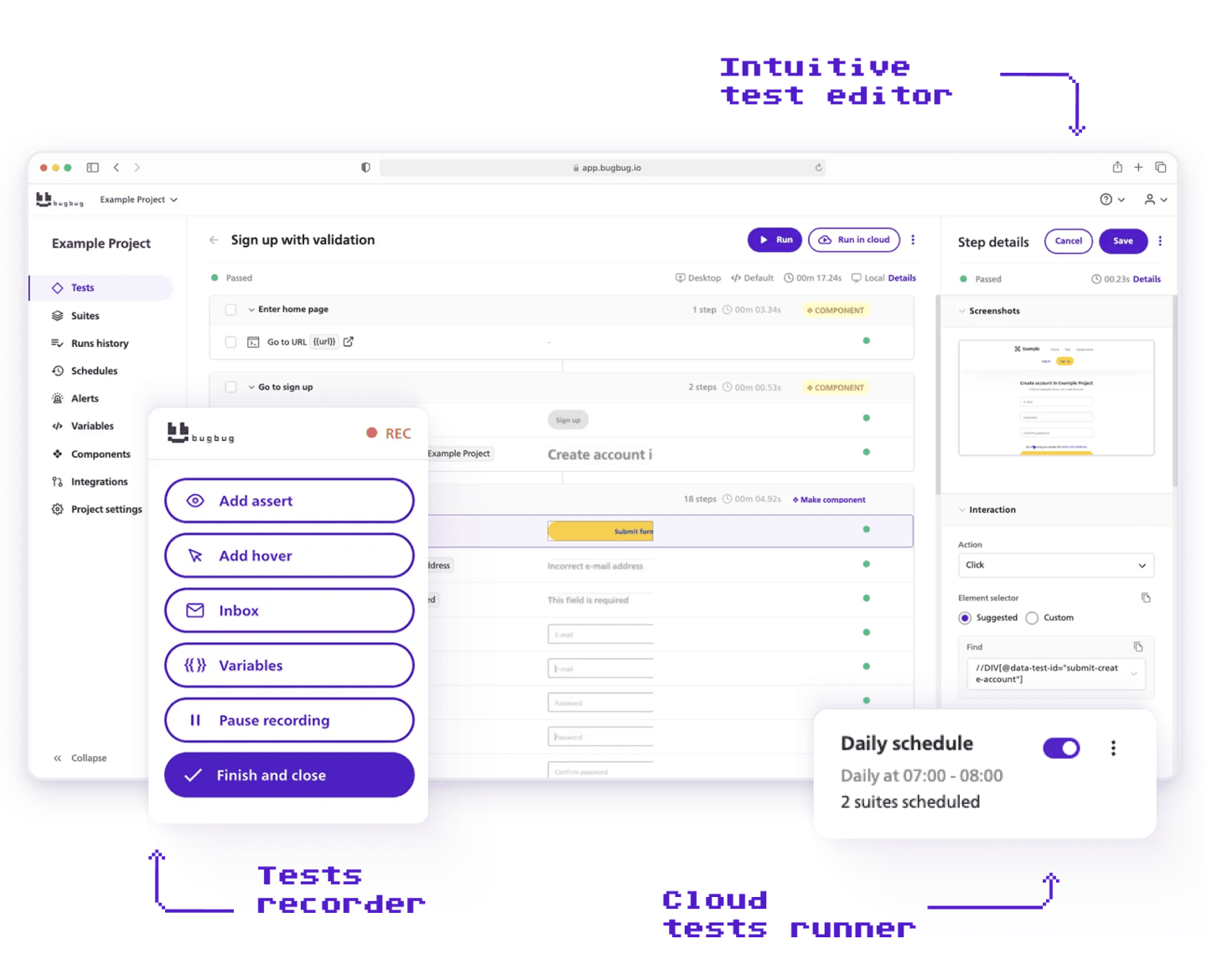
While frameworks like Playwright and Cypress offer powerful control for developer-driven test automation, some teams prefer a lighter approach that avoids maintaining a full testing stack.
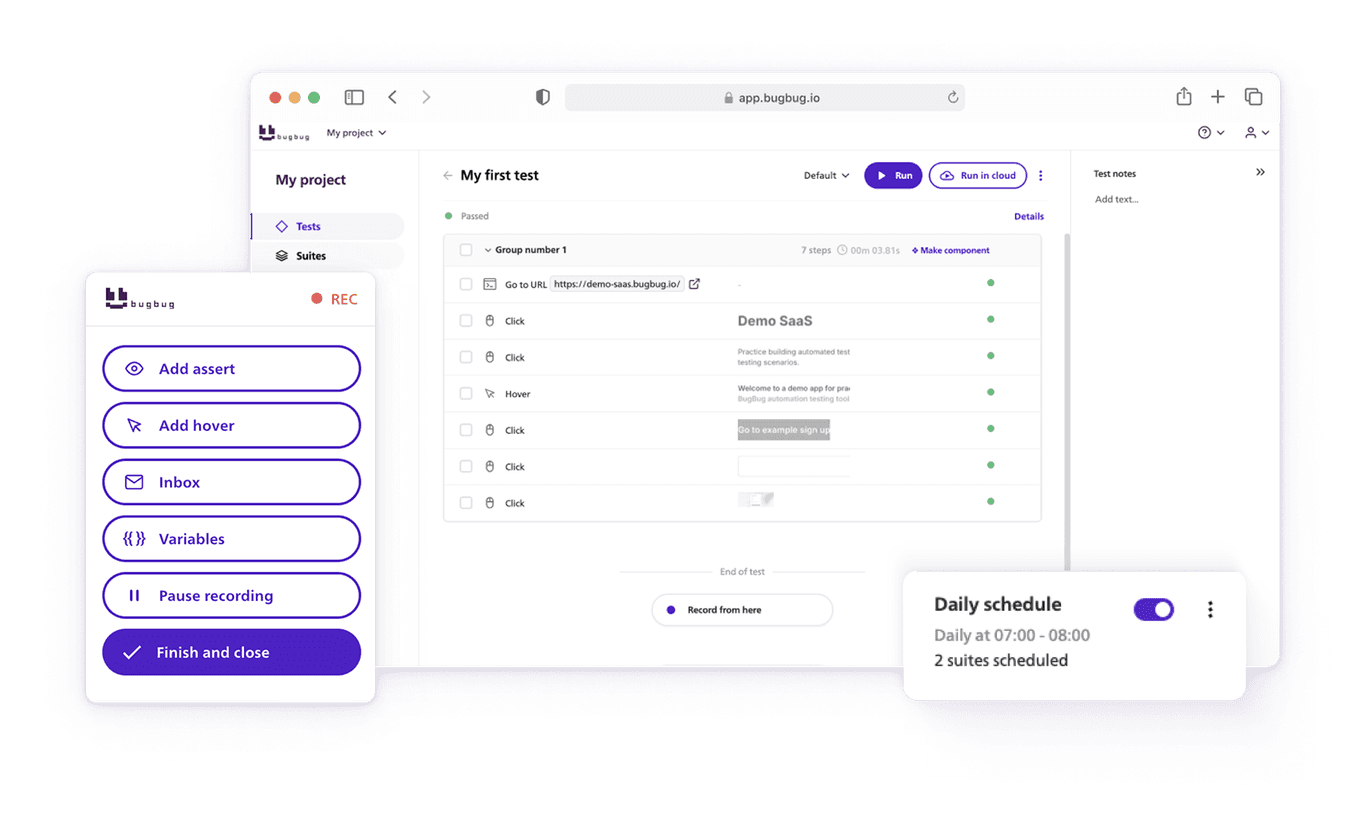
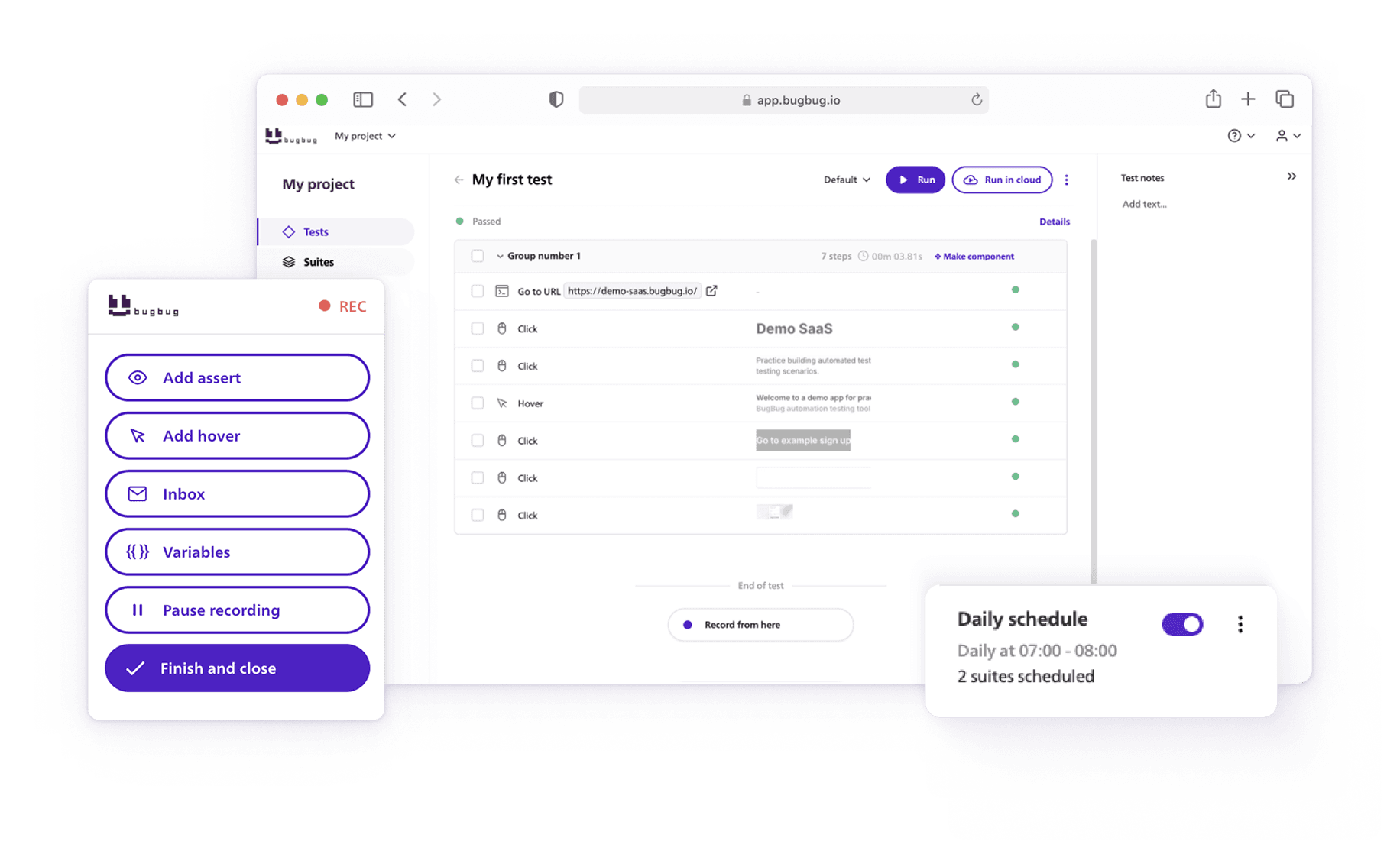
BugBug takes a different route. Instead of writing and maintaining test code, teams can create and manage end-to-end browser tests visually while still integrating them into modern CI pipelines.
Here’s how it differs from traditional frameworks:
- Visual Test Recording
Capture user interactions directly in Chrome and turn them into automated tests — no test code required. - Edit Tests Without Rewriting Scripts
Update individual steps visually when UI changes instead of modifying test files. - Automatic Waiting Logic
Built-in smart waits handle asynchronous UI behavior, reducing common sources of test flakiness. - Cloud or Local Test Execution
Run tests locally for quick debugging or in the cloud for automated CI workflows. - CI/CD Integrations
Easily integrate tests with pipelines like GitHub Actions, GitLab, or Jenkins. - Team-Friendly Collaboration
Share projects, review results, and manage tests across the team without managing framework dependencies. - Clear Debugging & Reporting
Detailed logs, screenshots, and step-level results help quickly identify where tests fail.
For teams that don’t want to maintain a full automation framework but still need reliable end-to-end testing, tools like BugBug provide a practical middle ground between manual testing and code-heavy automation.
Automate core user journeys without framework hassle
Test easier than ever with BugBug test recorder. Faster than coding. Free forever.
Start automating
Playwright and Cypress Alternatives
Check out our guides for more resources on test automation:
Playwright or Cypress - Choose Your Framework
When deciding between Cypress or Playwright, it’s essential to consider the specific requirements of your project. The key differences between Cypress and Playwright include their architecture, performance, and support for multiple browsers—Cypress is known for its developer-friendly interface and fast feedback loop, while Playwright offers broader browser coverage and advanced automation capabilities. Both Cypress and Playwright offer robust testing solutions, but their strengths cater to different needs. Here’s a breakdown to help you make the best decision:
Test reliability is crucial for ensuring consistent and accurate test results when automating browser interactions. Both tools support reliable test suites—Cypress with its automatic waiting and debugging tools, and Playwright with its advanced selectors and cross-browser support—helping teams validate web applications and ensure comprehensive coverage. Choosing the right tool will help you build dependable test suites that align with your project’s goals and maintain high QA standards.
Happy (automated) testing!